Modular Patterns
DiscreteViz reduces a sequence modulo and traces the result as an orbit on a circle. Each term lands on one of positions, and consecutive terms are joined by an edge . This was inspired by Rogelio Pérez Buendía (2025).
from figuratenum.figurate_viz import DiscreteViz

d = DiscreteViz()
d.visualize_plane("polygonal", m=17, n_terms=330, circ_color="g", bg_color="k")
Three methods, one per dimension
visualize_plane handles 2D sequences, visualize_space handles 3D, and visualize_multidim handles -dimensional and generalized families.
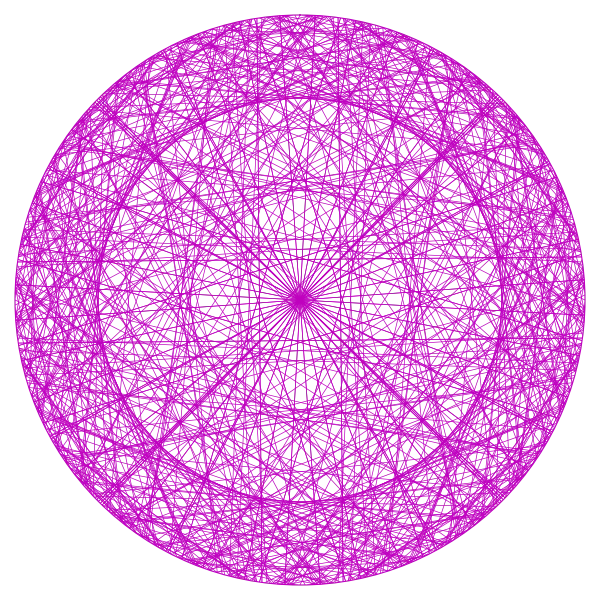
d.visualize_space("icosahedral", n_terms=300)

d.visualize_multidim(
    "k_dim_hyperoctahedron", k=5, n_terms=704,
    circ_color="m", bg_color="k", ext_circle=True, rotate=-1
)
visualize_multidim takes k to select the dimension; all three take m instead, for sequences with an -gonal shape.
Interpretation
Symmetry in the orbit depends on the modulus , not on the dimension of the family: a 2D sequence can produce an irregular pattern under one and a spirograph-like pattern under another, and the same holds for -dimensional sequences.
Trying different values of n_terms and h_modulo on the same sequence is the way to find where the structure shows up.
Parameters
figuratenum_name: the sequence, passed positionally.m: m-gonal parameter, for sequences with that structure.k: dimension parameter (visualize_multidimonly).n_terms: number of terms generated and plotted.h_modulo: the modulus for the circular mapping. Defaults to the sequence length.circ_color,bg_color,num_color: color of orbit edges, background, and position labels.num_text: whether numeric labels are drawn at each position.ext_circle: whether an outer reference circle is drawn.rotate: rotational offset applied to the layout.show: display immediately (defaultTrue) or return the figure unshown.